
100% up to $1,500 + 100 FS

CrownGreen Casino App
We built the CrownGreen Casino app experience so that Canadian players never have to choose between convenience and a full-featured gaming session. Whether you play slots on a lunch break or join a live blackjack table from your couch, our mobile setup keeps every section of the platform within reach. No version of what we offer is locked behind a desktop screen — everything travels with you.
Mobile Access Without a Download
You do not need to visit an app store to use our mobile platform. The CrownGreen Casino mobile app experience runs directly through your browser, and an install prompt lets you add a shortcut to your home screen in seconds — giving you app-style access without the storage footprint of a traditional download.
Here is what that means in practice:
- Runs entirely in the browser — no app store approval required
- Install prompt available on both Android and iOS for a home-screen shortcut
- Works across Android and iOS devices without separate builds
- Instant updates — the moment we refresh content, your shortcut reflects it
That last point matters more than most players realise. There are no manual update steps and no version mismatches, because the platform updates server-side. If you want to read more about how our platform is structured before committing, the Crowngreen casino info page covers the full picture. We designed the whole setup around reducing friction, because we know that the biggest barrier to a quick session is often just getting into the game.
Setting Up in Three Taps
Getting started is a short sequence, not a technical project. Open your mobile browser, navigate to our official site, and use the browser menu to add the page to your home screen — three steps and you are in.
| Step | Action |
|---|---|
| 1 | Open the site in your mobile browser |
| 2 | Use the browser menu (Share / More options) |
| 3 | Confirm the shortcut to add it to your home screen |
Android users specifically asking about how to download CrownGreen app for android will find that this browser-based approach is the recommended route — no sideloading, no permissions fuss, and no risk of outdated packages. Once the shortcut is on your screen, it opens just like a native app. Our platform also remembers your session preferences, so you land on the right section each time. If you have not registered yet, check the active Crowngreen reward deals page first — our welcome package offers up to $1,500 and 100 free spins on your first deposit, and knowing those terms before you register helps you choose the right deposit amount from the start.
Filters That Save Time
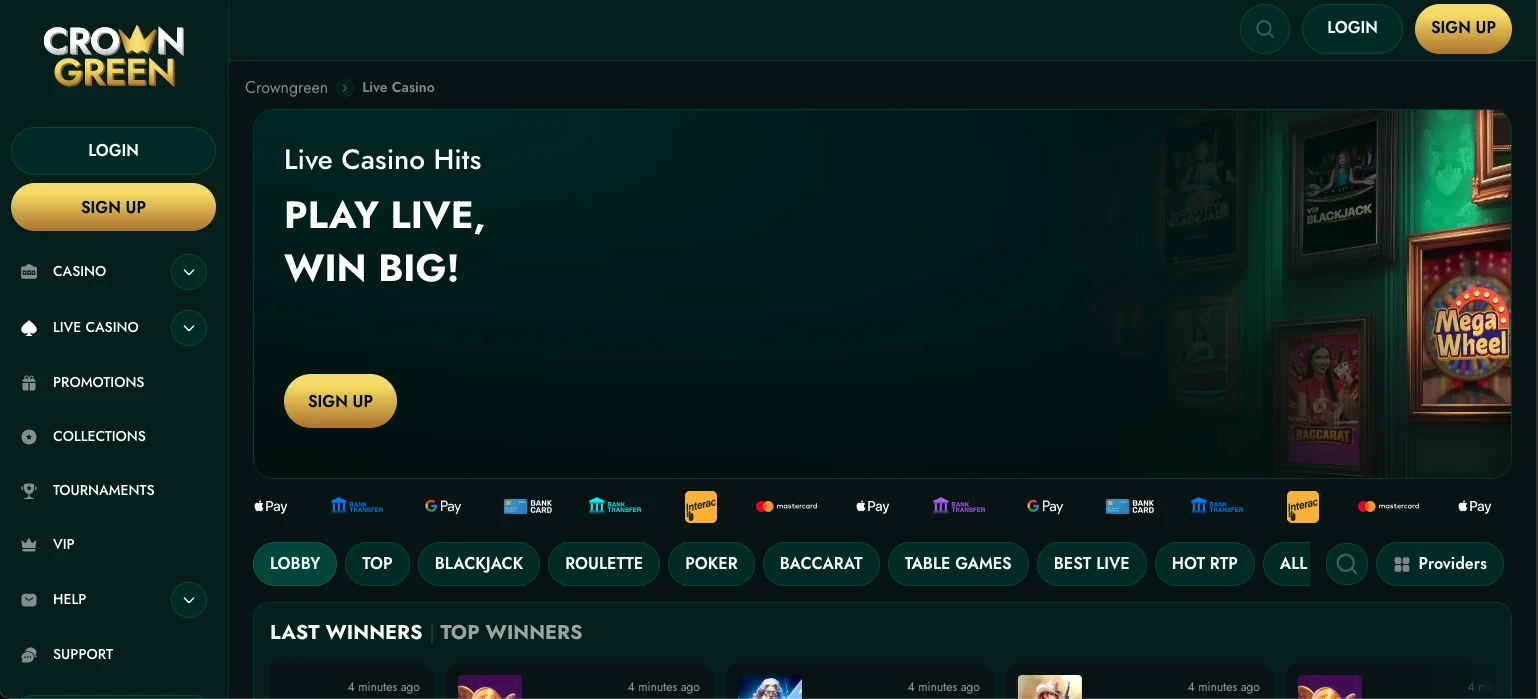
The filter row at the top of the lobby is what makes the CrownGreen app genuinely fast to navigate — tap a category and you route straight to that section without scrolling through an unrelated game list.
The four main filters are:
- Slots — thousands of titles from providers including Pragmatic Play, BGaming, NetEnt, Hacksaw Gaming and dozens more
- Live casino — real-dealer blackjack, baccarat and poker tables running around the clock
- Instant games — crash games, keno and instant-win titles for shorter sessions
- Sportsbook — full sports betting access from the same account and cashier
This unified structure means your VIP points, your bonus balance and your betting account all sit under one login. There is no switching between apps or separate wallets. If you are new and want to set up an account before exploring the filters yourself, the Crowngreen registration info page walks through the steps clearly. We kept the filter design simple because a cluttered lobby is one of the most common reasons players give up on a mobile session before they even place a bet.
Cashier Access From a Phone
Your banking is not reduced on mobile — the CrownGreen Casino app gives you the same deposit and withdrawal functionality as any desktop session.
| Task | Availability |
|---|---|
| Deposit | Full access — all methods available |
| Withdrawal | Full access — all methods available |
On the deposit side, we support Interac, Visa, Mastercard, Apple Pay, Google Pay, Skrill, Neteller, Paysafecard, Revolut and bank wire, with a minimum of $30 to get started. Withdrawals carry a minimum of $60 and daily limits reach $15,000, with $30,000 per week and $75,000 per month. E-wallet withdrawals typically process within 0–24 hours after approval — the fastest route for Canadian players who want their winnings quickly. Our cashier is optimised for touchscreens, so every tap registers cleanly and you are never hunting for a button that was designed for a mouse.
Checks Before Depositing by Phone
Running through a short checklist before your first mobile deposit prevents the kind of problems that delay withdrawals later.
- Withdrawal route confirmed — verify that your preferred method (Interac is the natural choice for most Canadian players) is available for both deposits and withdrawals before you fund your account
- Limits set — use account settings to place deposit, loss, wager and session limits before playing; these controls are visible and accessible from the mobile interface
- Documents ready — upload your KYC documents early if your profile supports direct mobile verification; a verified account processes withdrawals without added delays
- Offer terms read — CrownGreen welcome bonuses have wagering conditions; read them against your planned deposit amount so you know what you are committing to before you tap “deposit”
That last point is worth sitting with. A bonus is only valuable if it suits your playing style, and the time to figure that out is before the funds hit your account, not after. Our support team is available via live chat around the clock if anything on the checklist raises a question.
Keeping Mobile Sessions Private
Protecting your account on a shared or public device is straightforward once you know the right habits. Lock your screen before you set your phone down, use private browsing when you play on a device that others access, and always sign out of our platform manually rather than relying on a session timeout. CrownGreen account credentials are personal — our Terms and Conditions are clear that accounts must not be shared, and keeping your login details to yourself is the first layer of protection we ask you to maintain.
Beyond those basics, we recommend turning off autofill for your password on shared handsets and not saving your payment details to a browser that other people use. Our responsible-gaming tools — deposit limits, session timers and self-exclusion — are all reachable from within the mobile account menu, so you can adjust your safeguards without switching to a desktop. If you ever suspect your account has been accessed without your permission, our 24/7 live chat is the fastest way to lock things down immediately.
Mobile Play Made Simple
Players who get the most from our mobile setup tend to share one habit: they spend two minutes on the checklist before they ever tap “deposit.” They confirm their withdrawal route, set a session limit and glance at the bonus terms. After that, the CrownGreen app stays out of their way — the filters route them to the right game fast, the cashier is one tap from anywhere, and live dealer tables load without lag. If you play slots in short bursts, instant games are right there in the filter row. If you prefer a longer live casino session, the baccarat and blackjack lobbies are just as comfortable on a phone as on a larger screen. That is what we built this platform for.
Frequently Asked Questions
Where do I download the CrownGreen app?
There is no traditional download required. The CrownGreen Casino app runs through your mobile browser, and you can add it to your home screen using the “Add to Home Screen” option in your browser menu. This gives you app-like access without visiting any app store, and it works on both Android and iOS devices.
Can I withdraw from my phone?
Yes, withdrawals are fully available on mobile. CrownGreen supports Interac, e-wallets, cards and bank wire for withdrawals, with a minimum of $60 and daily limits of $15,000. E-wallet withdrawals typically clear within 0–24 hours after approval, making them the fastest option for Canadian players.
Which sections appear in the mobile filters?
The mobile filter row includes slots, live casino, instant games and sportsbook. CrownGreen organises all four categories under a single login, so you move between them without switching accounts or re-authenticating. Your bonus balance and VIP points follow you across every section.
Do I need to update anything?
No manual updates are needed. Because the CrownGreen app is browser-based, all changes happen on our side — your home-screen shortcut always reflects the latest version automatically. There are no update notifications to dismiss and no storage to manage on your device.
Is mobile play the same as desktop?
In practical terms, yes. The CrownGreen Casino mobile app gives you the same game library, the same cashier functionality, the same promotions access and the same responsible-gaming controls as a desktop session. The layout adapts to your screen size, but no features are removed or restricted on mobile.